Getting a game used to mean clicking through weird redirects and fake buttons, waiting on a download, extracting archives by hand, then digging through folders to find the right .exe. Ascendara exists because that got old.
01Click through redirects and ads to find the real link
02Wait, then extract the archive yourself
03Hunt through the folders for the right .exe
So the whole thing became one app: find a game, press download, and Ascendara handles the download, the extraction and knowing where the game lives, so you can just press play. You can also add your own games and import an existing library, so everything you play lives in one place.
Ascendara does not host the game files. Downloads come from their respective third-party sources. The app provides the interface and tools that bring that process together.
Ascendara started in 2024 to fix one annoyance: getting a game should be straightforward and simple. The look has changed almost beyond recognition since then. The idea has not.
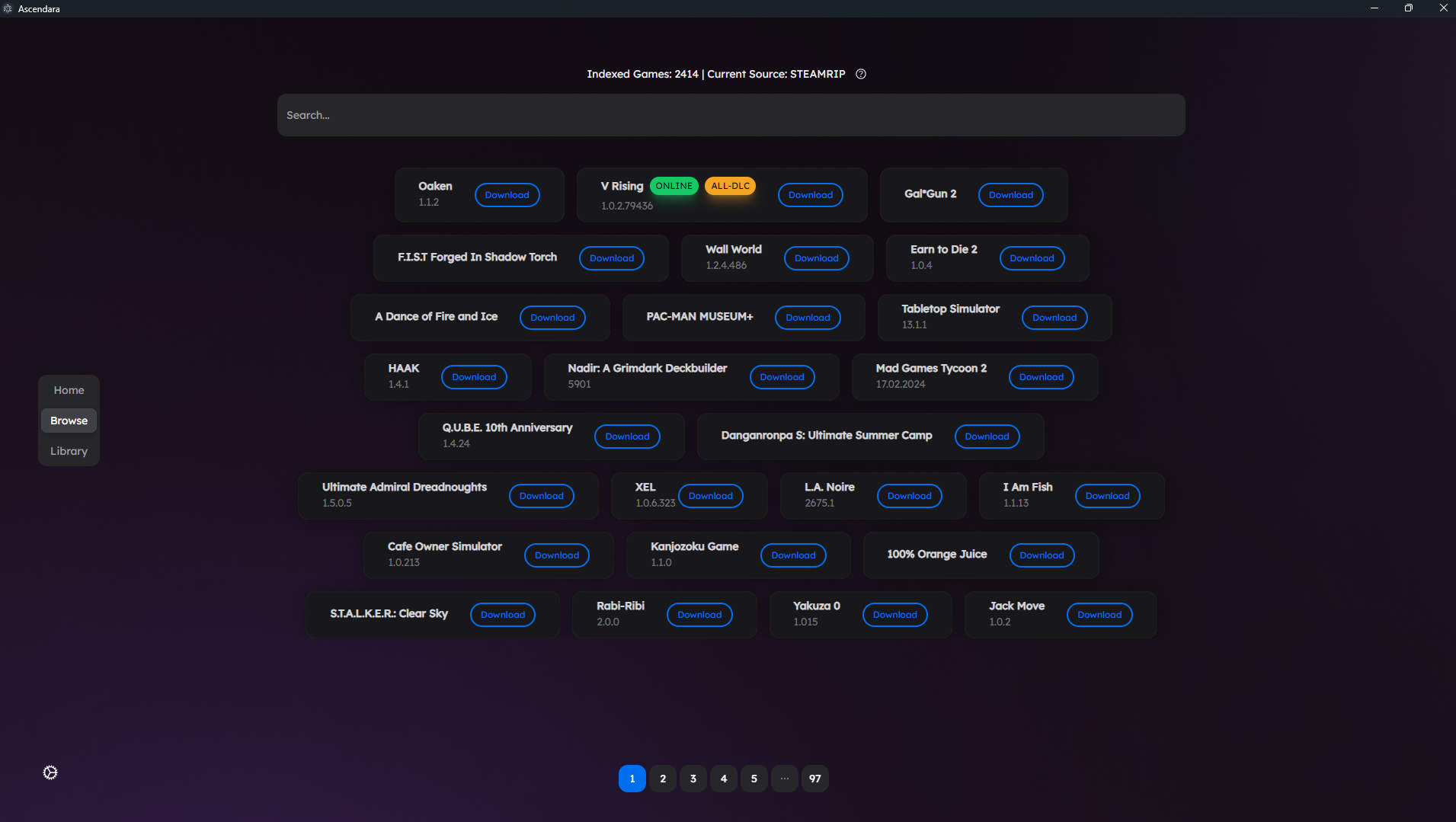
Ascendara started as an app, before it had a repository or a website. A search bar, a wall of games pulled from SteamRIP, and a download button next to every one. Home, Browse and Library sat in a small menu on the side. No accounts, no clutter, no detours.
I’m 19, based in Northern California, and I’ve been developing Ascendara for about two to three years.
Ascendara is an independently built project that I continue to develop and maintain. The desktop app is only one part of it: there are also the download tools, the website, documentation, and services that keep everything connected.
While I lead development, the project is made better by the people around it. Contributors help improve the code and documentation. Players report bugs, suggest features, and help others get started.
Discovery is only the beginning. Ascendara looks after everything that comes after it too: the download, the library, your saves, and the couch.
01
Find something worth playing.
Start with the official index of 5,000+ games, with covers, sizes and system requirements already filled in. Turn on External Sources mode to add community sources, custom JSON lists, or your own self-hosted library. Game pages pull in Steam details, HowLongToBeat times and a check against your PC’s hardware.
Supported hosts like GoFile and PixelDrain download in two clicks. Every game moves through downloading, extracting and verifying, extracted in place to save disk space, with Retry Extraction if something goes wrong. TorBox and torrents are built in, and the browser extension sends downloads straight to the app.
Connect Steam, Epic Games and GOG to see everything you own, or scan Steam, Epic, GOG Galaxy, Ubisoft Connect and Battle.net with no login at all. Smart collections, custom folders, Play Later and a History tab that keeps the stats of games you have uninstalled.
A separate Retro library covers 12 classic systems for free, from PS1 to the Game Boy Advance, with more through Ascend. Big Picture Mode turns it all into a TV interface with controller detection, Xbox and PlayStation button prompts and a virtual keyboard.
Free local save backups through Ludusavi, made by hand or automatically when a game closes. An achievement watcher tracks unlocks as they happen, Timemachine reaches back to older game versions, and a Steam Workshop downloader grabs public mods without a Steam login.
Pick a theme or design your own, and jump anywhere with the Ctrl+K command palette, in 12 built-in languages or many more through on-demand translation. Linux and macOS get a Proton and UMU manager. When something breaks, the System Center checks your setup and can roll back a version.
Browsing, downloading, extracting, local save backups and launching all work without signing in. The full catalog is stored on your machine, so you can browse it offline, and Ascendara checks for new entries in the background.
The same three habits the project has kept since its first release.
Code you can read.
The app and installer source are public. Explore the implementation, report a problem, or contribute a fix. The documentation explains how the pieces fit together and how to build from source.
Read the download guidance, inspect the source, and see how community-maintained lists recognize Ascendara. Third-party downloads remain separate from Ascendara’s own code, and no tool can guarantee every external file.
The base app works without an Ascend account. Analytics are optional, and local indexing keeps your catalog on your machine. Connected services and Ascend features have their own data needs, explained in the privacy information.
Ascend is the optional membership that helps fund server costs, API infrastructure, and continued development. It adds features such as cloud syncing, friends and chat, and remote access through Ascendara Companion.